


Every merge, tested by your QA employee
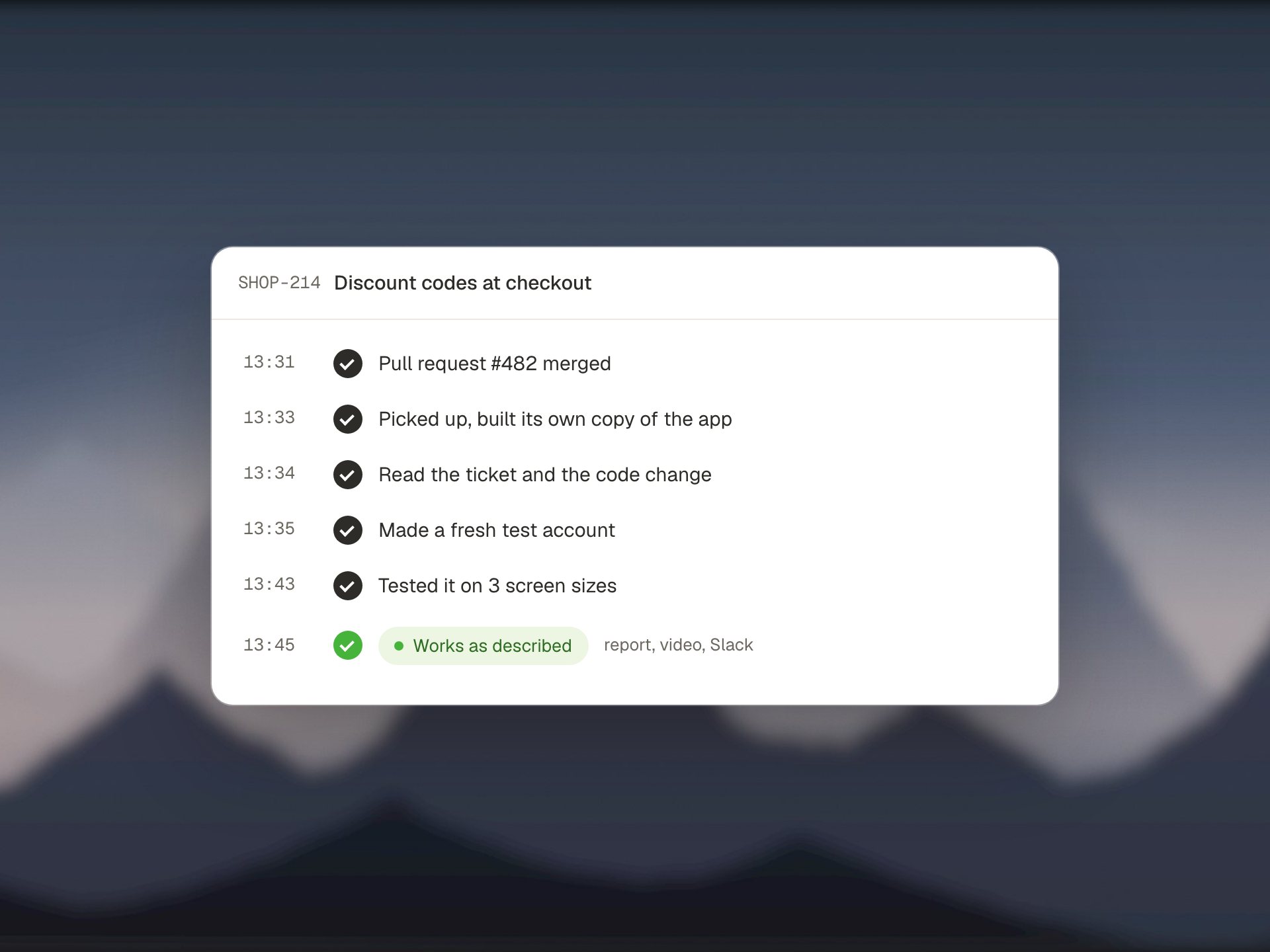
Your AI QA employee reads the change, the ticket and the code, then tests it in a real browser like a careful tester would. Minutes later your team hears back: it works as described, it found a problem, or it was blocked and why. With proof.
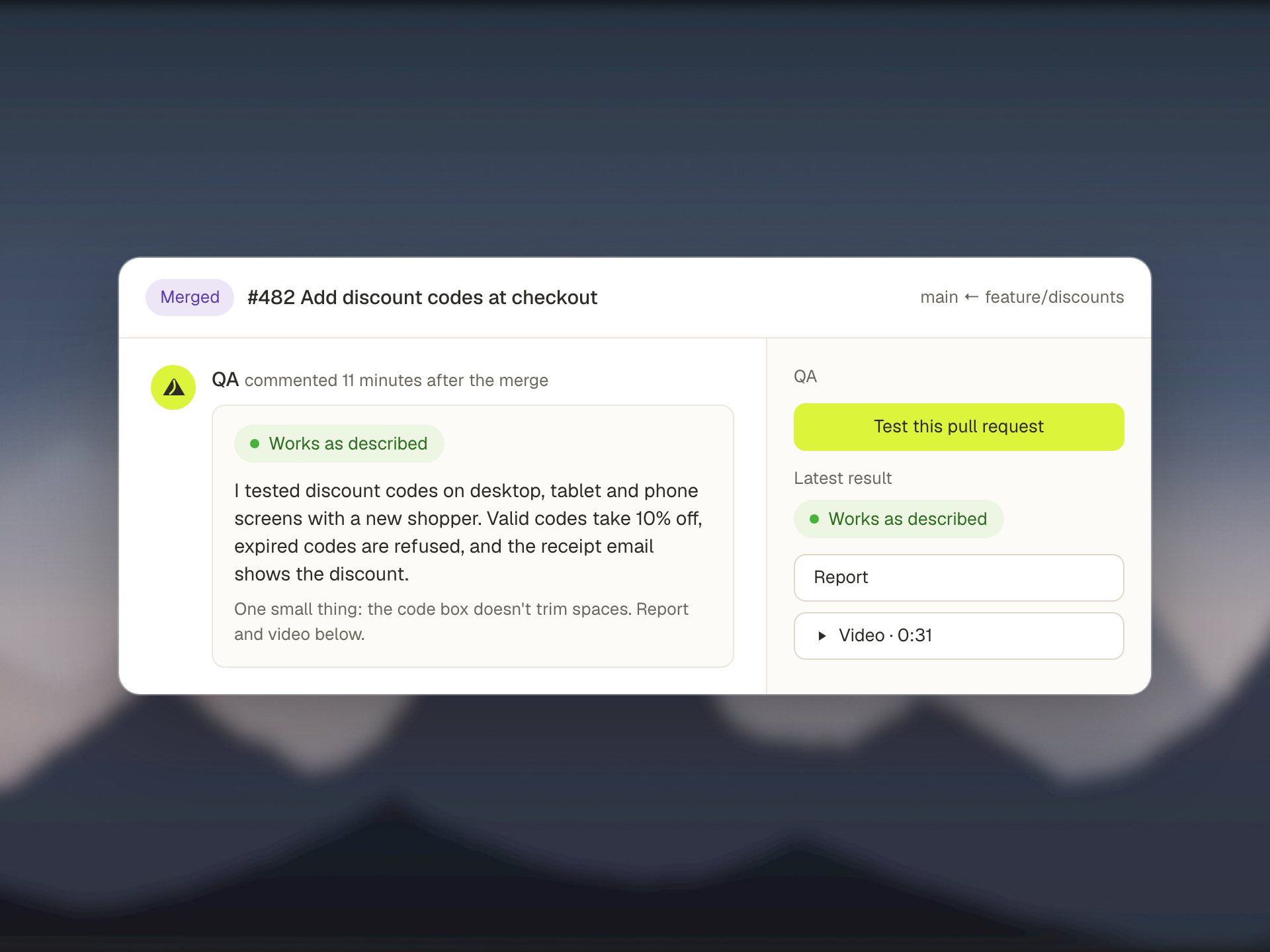
Test a branch, a ticket, a pull request or just an idea
Run it by hand when you want a second pair of eyes, or let it watch your main branch and test every merge on its own.
Your branch
Compares your branch with main in every repository and tests what changed.
A ticket
Finds the code for a ticket, even across repositories, and uses the ticket text as the acceptance criteria.
A merged pull request
Finds the merge in your history and tests exactly that change.
A scenario
No code change needed. Describe a flow in plain words and it finds the feature in your code and tests it.
It watches your main branch for you
Every 30 minutes it pulls the latest code, builds it once and picks up new merges. Nothing gets lost when the machine is busy or a build is broken. It remembers where it left off and catches up.
- One run per ticket, even when the frontend and backend were merged separately.
- Waits for the other half of a feature before testing, so you don't get false alarms. After 72 hours it tests the half it has and says so.
- Filter by author, or test every merge.
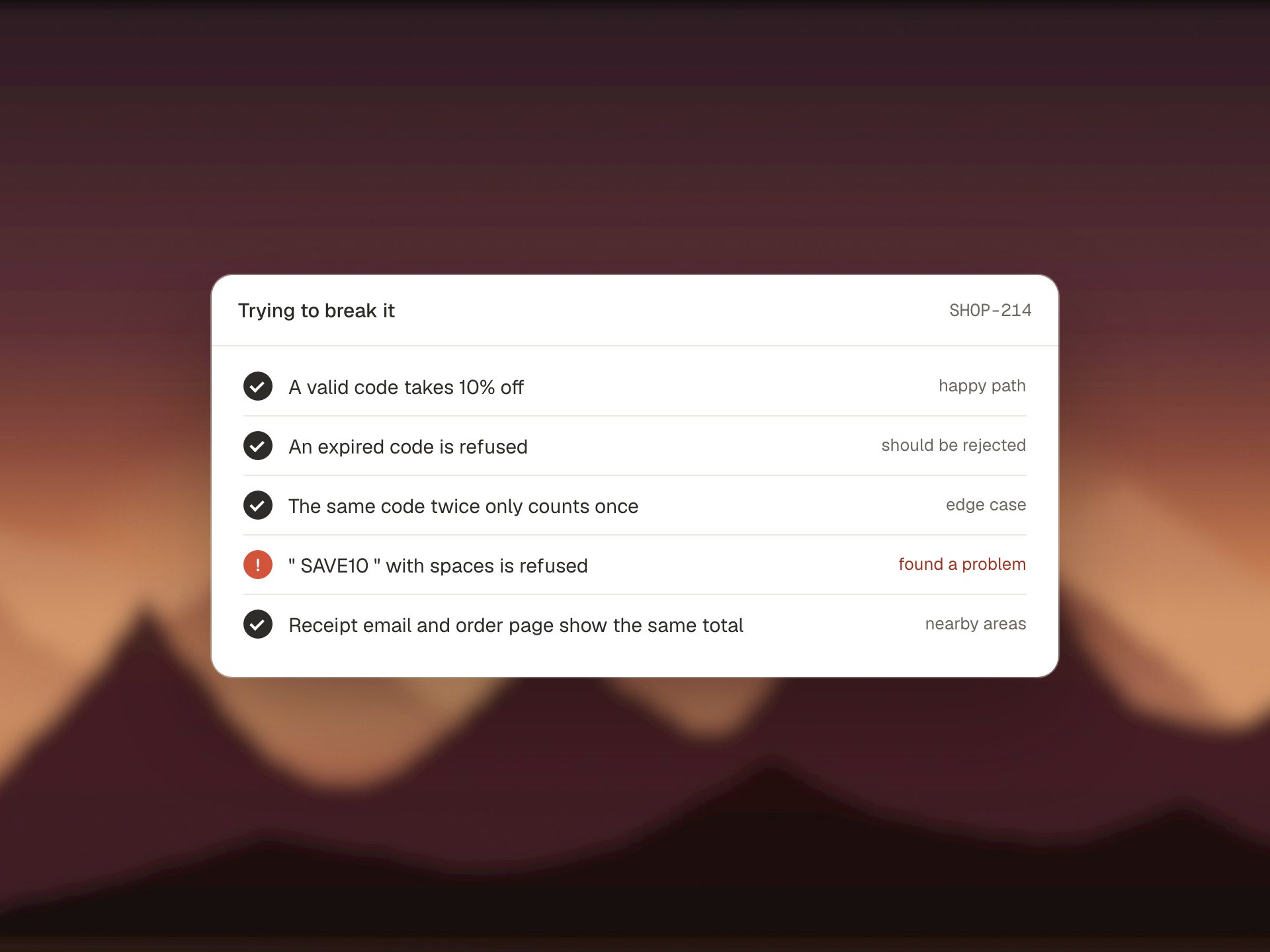
Built to find bugs, not to confirm features
It follows a written testing approach: the happy path, real world data, data that should be rejected, and two or three nearby areas that could have broken. It checks every place in the app that shows the same information, so a total that's right on one screen and wrong on another gets caught.
- Reports side errors even when the change works: console errors, error messages, untranslated text and failed requests.
- Uses earlier runs on the same ticket so it doesn't repeat itself.
- Reads the product manager's explainer video transcript when the ticket has one.
Blocked only when something outside your code gets in the way
When its own test script crashes, it reads the output, the crash screenshots and the logs, fixes the script and runs it again, up to four times. It is never allowed to weaken a check to get a cleaner result.
Works as described
What was tested, step by step, with a screenshot of every step and the test data it created.
Found a problem
Expected against actual, the network calls and console messages behind it, and the file and line in your code. The people who made the change get mentioned.
Blocked
Only for a named outside blocker, for example a third party sandbox that is down. Never "the script didn't work".
Made for a real team's day
- Correct a run in plain words. "Also test the empty state." It continues the same session, reruns the test and rewrites the report.
- Pauses on AI usage limits. When your AI plan hits its limit, runs wait for the reset instead of giving up, then continue. Nothing noisy gets posted.
- Runs in parallel. Two to four runs at once, each on its own copy of your app, so one test never changes another's data.
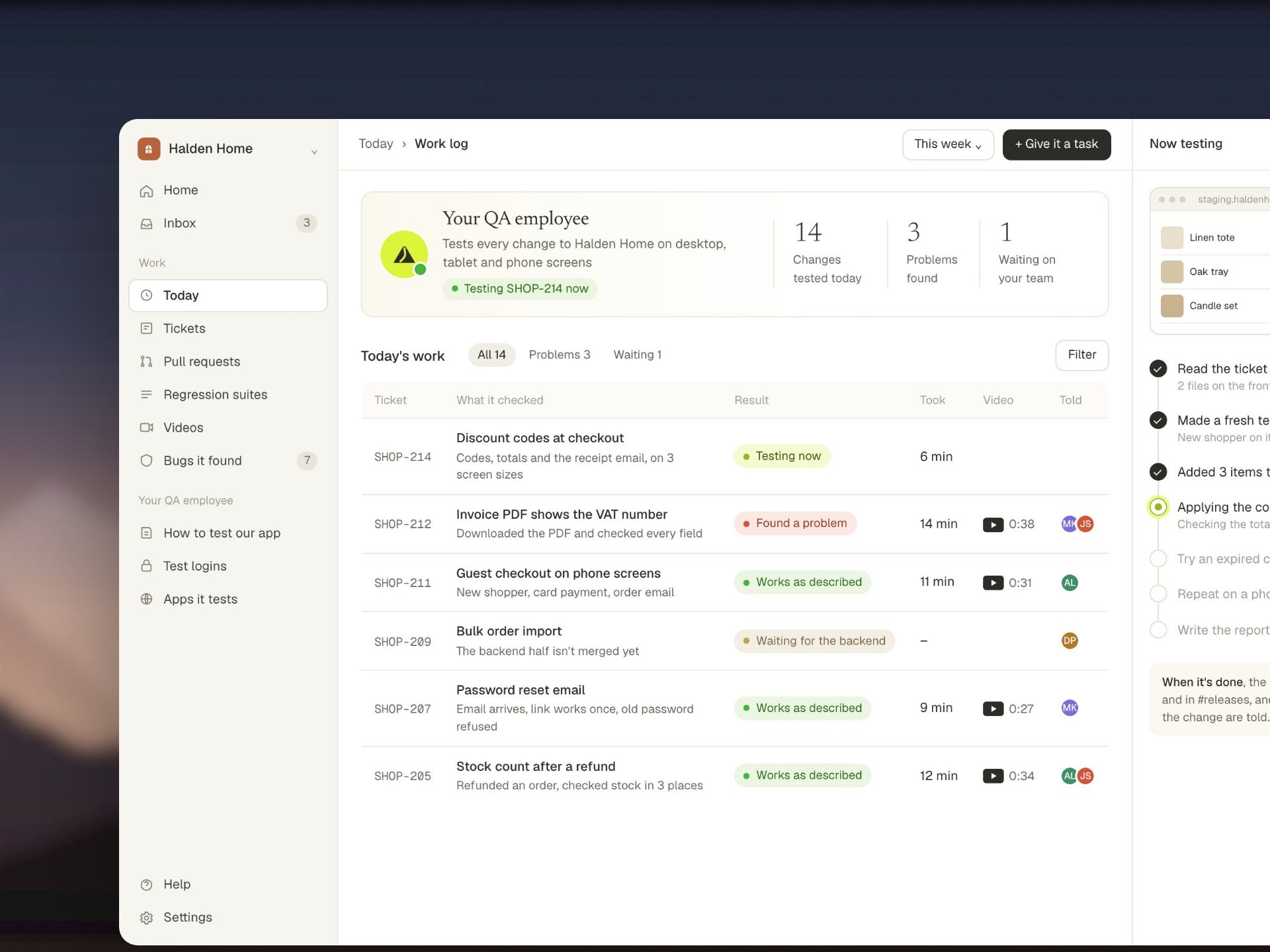
You build the product.
Your QA employee checks it.
Show us your app. We'll run GreatQA on a real change of yours, live on the call.